Overview
Water tank automation helps you check the water level and manage the pump that fills the tank. For a home, the tank may be on the roof while the pump starter is downstairs. With WaterGauge, you can check the tank from your phone and operate a linked pump.
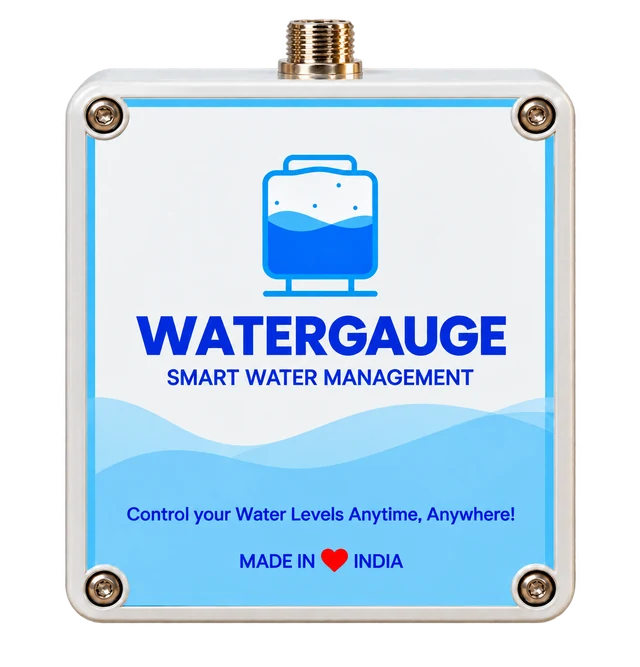
The tank sensor and Level Manager provide the readings. The Pump Controller handles pump commands through a compatible starter. These are separate parts of the setup.
Equipment at the tank
The water level sensor is installed in the tank and connected to the Level Manager. The sensor cable connects these two devices; it does not need to run down to the pump room.
The solar panel powers the Level Manager and needs a suitable location with direct sunlight. Readings reach the WaterGauge app through GSM or Wi-Fi on supported models. Check the connection option for your supplied device.
This equipment provides tank monitoring. A separate Pump Controller is needed to start or stop the filling motor. Learn more about solar tank monitoring.
Equipment at the pump
The Pump Controller is installed near the motor starter. It uses its own AC supply, rather than the tank-side solar panel. A qualified installer must check starter compatibility and use the approved wiring diagram for the supplied model.
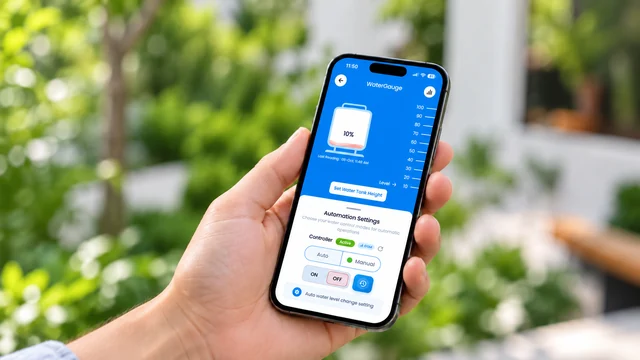
Once it is installed and linked to the correct tank, you can test Manual ON/OFF controls. Auto operation also needs the tank dimensions and ON/OFF level settings to be configured correctly.
A level reading alone does not switch the motor. See the difference between a level indicator and a pump controller. For a borewell setup, share your starter details with the team and read the borewell pump guide.
The app and your quote
The WaterGauge app is available for Android and iPhone. Use named tank cards to check each tank, its last reading and its linked controller. The app guide shows the setup and control screens.
For a quote, share your tank count, height and capacity, pump/starter type, site location and available network. Equipment and installation requirements depend on your setup. Read the quote planning guide or request a free estimate.
Call +91 70004 65454 or email support@watergauge.in. Our office is on the 1st Floor, above PNB, near Pipliyahana Road, Scheme No 140, Indore, Madhya Pradesh 452016. The contact page has the full address and directions.
Check the setup after installation
Check that the displayed level changes as the tank fills or empties. Review the last reading time and test the available level notifications.
If a Pump Controller is installed, test ON and OFF commands with the installer. Then test the configured Auto settings. Keep the existing overflow outlet in place and follow the installation instructions for your equipment.
In simple terms: the sensor measures the tank, the Level Manager sends readings to the app, and the linked Pump Controller operates the filling pump. Explore setups for homes and apartments and societies.