
Wireless Water Level Manager
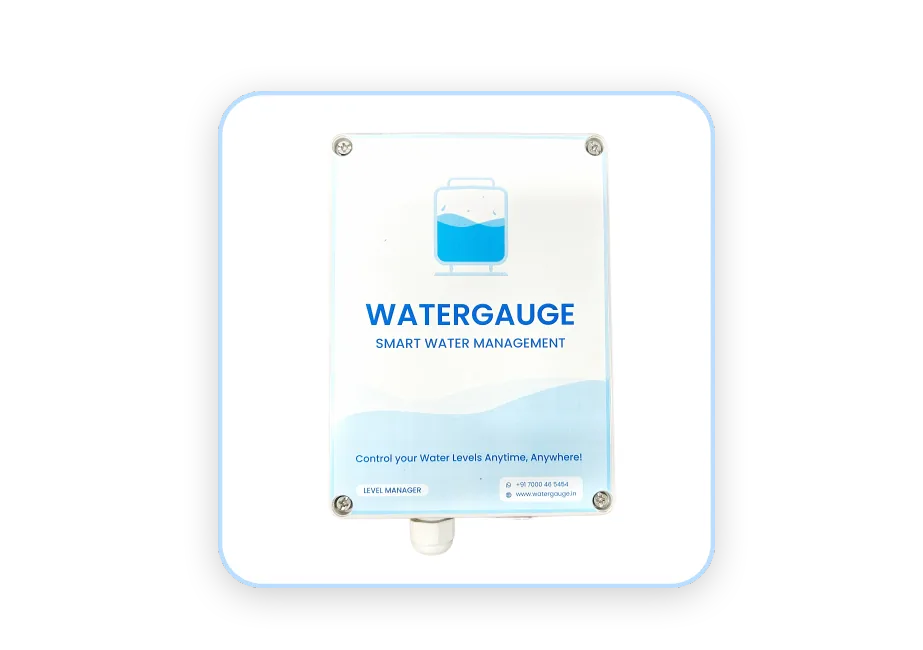
The level manager is the tank side of tank and pump automation from Water Gauge.
Step 1 - Site Selection :
- Choose an installation location with ample sunlight exposure for the solar panel to power the level manager.
- Ensure the site is close to the water tank for easy sensor installation and within the cellular network’s signal range for internet connectivity.
Step 2 - Mounting the Water Sensor :
- Secure the water sensor at the desired water level inside the tank or reservoir.
- Ensure the sensor is firmly mounted and free from obstructions that could affect the accuracy of the readings.
Step 3 - Connecting the Sensor to the Level Manager :
- Connect the water sensor to the level manager using the provided cables.
- Ensure the connections are secure and well-protected from water exposure and environmental conditions.
Step 4 - Powering the Level Manager :
- Position the solar panel in an area that receives direct sunlight throughout the day.
- Connect the solar panel to the level manager, ensuring the panel provides sufficient power for continuous operation.
- Verify the level manager is powered up and operating correctly, as indicated by the status LED or display.
Step 5 - Connecting the Level Manager to the Android App :
- The SIM card is already inserted into the level manager for internet connectivity.
- Download and install the corresponding Android app for the level manager (provided by the manufacturer).
- Open the app and follow the on-screen instructions to connect it to the level manager using the internet.
- Ensure that the level manager is successfully connected and sending sensor data to the app in real time.
Step 6 - System Power-Up and Testing :
- Power on the system by ensuring the solar panel is providing energy to the level manager.
- Test the level manager by checking that water level readings are sent to the Android app via the internet.
- In the app, verify that the real-time water level readings are accurate and that the system is responding correctly to changes in the water level.
- Perform a final test to ensure the app displays accurate readings and notifies you when certain water levels are reached.
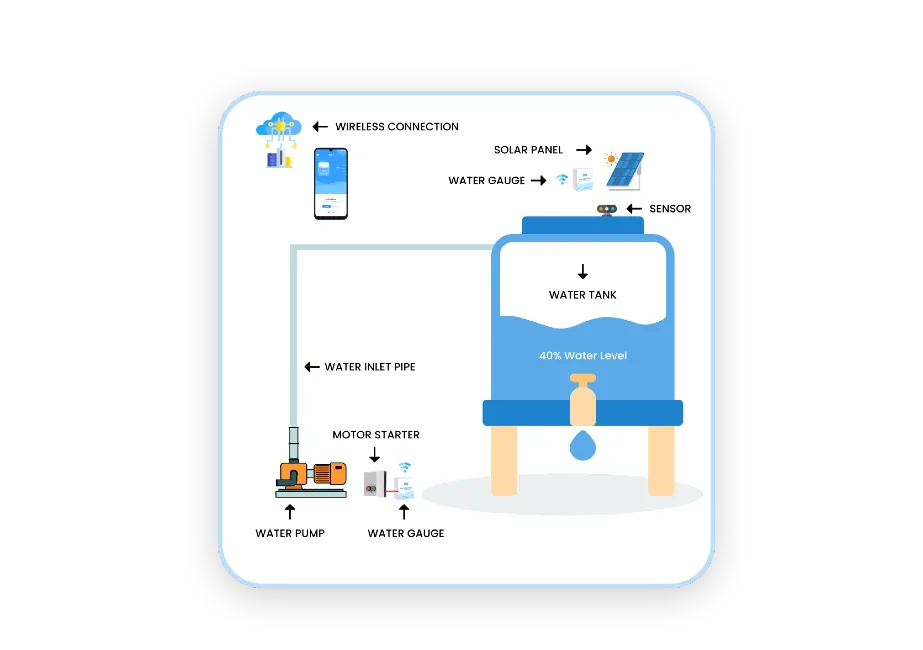
How It Functions
The primary purpose of the Water Gauge project is to provide an efficient, reliable, and eco-friendly solution for water management. This system aims to:
 Solar-Powered Devices
 Wireless Communication
 Real-Time Monitoring
 Remote Control
 Automate Water Control
 Save Water
 Cost Savings
 Eco-Friendly
 Water Conservation
 Support