HOW IT WORKS

From your tank.
To your phone.
In your control.

A connected system for water-level monitoring and pump control. WaterGauge brings your tank, motor and mobile app together, so you can manage your water with confidence.

YOUR CONNECTED WATER SYSTEM
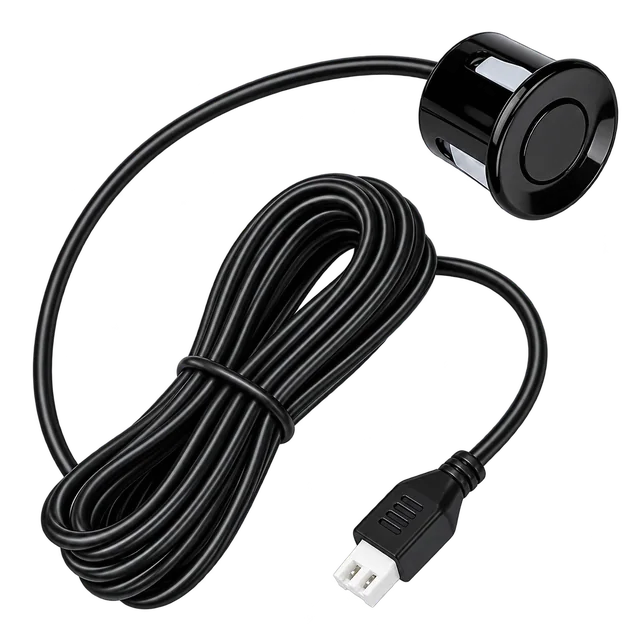
01Water Level SensorWater Level Sensor
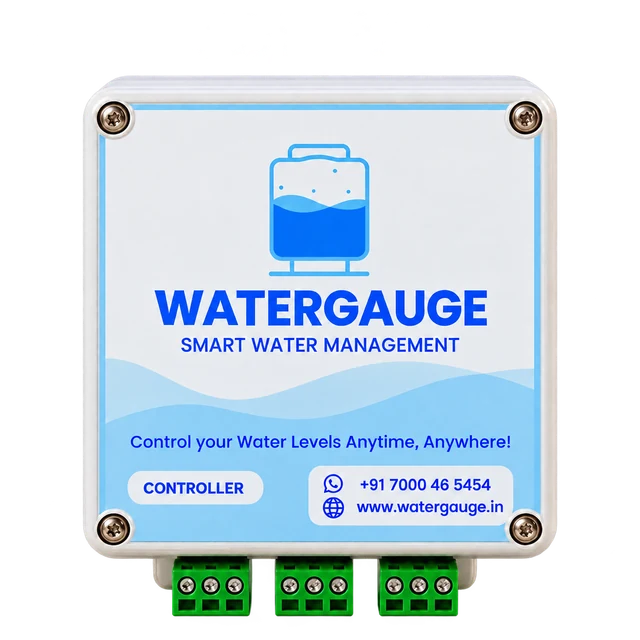
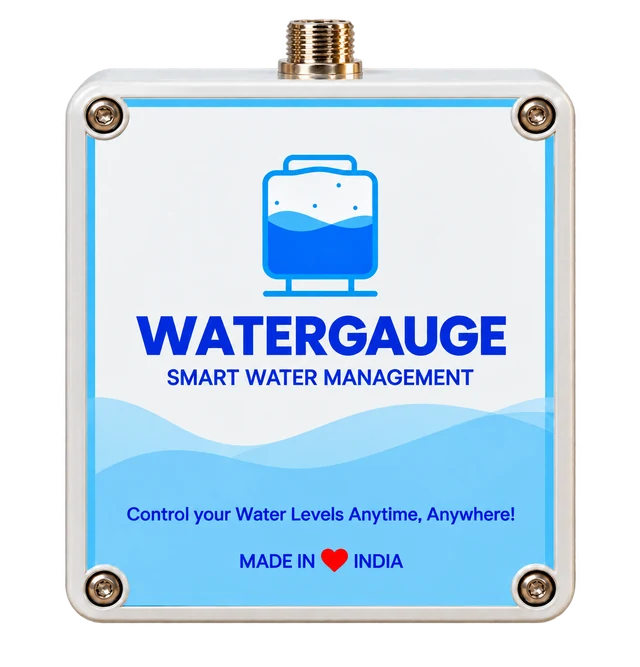
02Tank ControllerTank Controller
03Motor ControllerMotor Controller
04
Android & iOS
WaterGauge App

Readings, controls and updates in one place

ONE CONNECTED SYSTEM

Four parts. One simpler way to manage water.

Each part has a clear role, from the reading in your tank to the controls on your phone.

  1. 01

    Measure the water

    The water-level sensor connects to the Tank Controller and provides the reading for your tank.

    Explore the device
  2. 02

    Connect the tank

    The Tank Controller sends readings to the app using the connection supported by your model: Wi-Fi or GSM.

    Explore the device
  3. 03

    Control the pump

    A separate Motor Controller connects at the pump starter. Link it to your tank to use Manual or Auto control.

    Explore the device
  4. 04

    Manage it in the app

    Check tank levels, choose motor controls and review alerts and history from your Android or iPhone.

    Explore the app guide
YOUR WATER. YOUR WAY.

Choose how your pump runs.

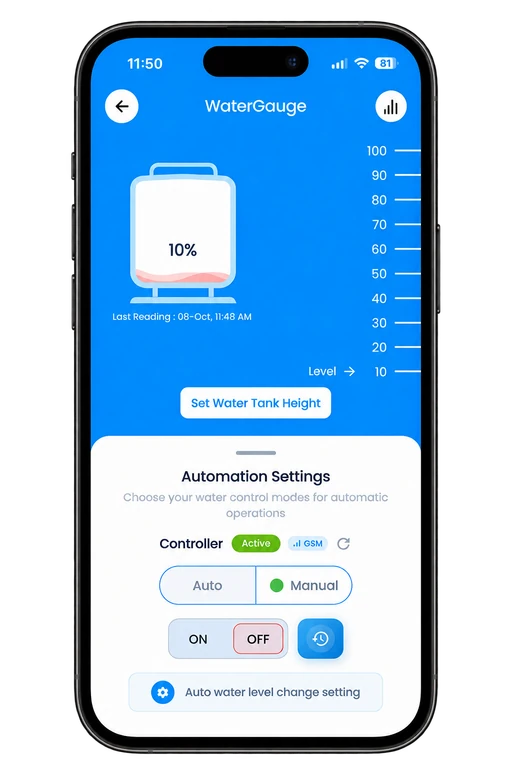
A linked Motor Controller gives you two ways to manage the pump from Tank Details.

MANUAL MODE

Make the call from your phone.

Open your tank, choose Manual mode and send an ON or OFF command. Check the controller status and wait for the command to complete before sending another.

  • Control when the pump starts and stops
  • Review recent runs and alerts
AUTO MODE

Set the levels. Let the system respond.

Choose a lower ON level and a higher OFF level, then select Auto mode. With the devices connected, the system uses these tank-level settings to control the pump.

  • Keep the ON percentage below OFF
  • Confirm the settings with a test filling

Auto access and available features can depend on your model and app plan.

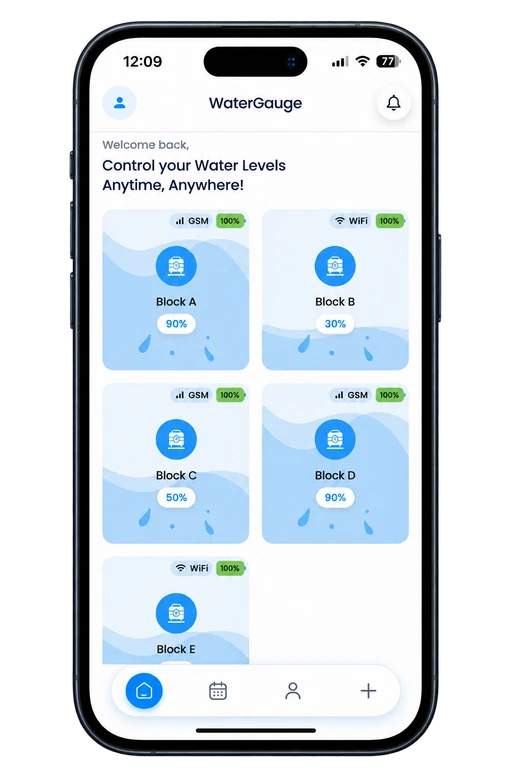
WaterGauge tank dashboard
WaterGauge tank level and motor control screen
MOBILE APP

Know the level.
Choose the next step.

See your tanks together, open a tank for its latest reading and manage the linked motor from the same app.

  • Tank percentages and last reading time
  • Device status, alerts and motor history
  • Tank settings and water-use reports
A GOOD START

Ready for your
first tank reading.

We’ll help you choose the setup for your tank, pump and available connection. Starter wiring should be completed by a qualified installer.

Talk to our team
  1. 01

    Install the hardware

    Position the sensor for your model, secure the connections and place the solar panel in direct sunlight. Keep the Motor Controller dry near the starter.

  2. 02

    Add and connect the devices

    Sign in to the app, discover the Tank Controller and choose its supported Wi-Fi or GSM connection. Add the Motor Controller to the selected tank.

  3. 03

    Enter the tank settings

    Set the actual tank height and capacity. Give the tank a clear name so it is easy to find in the dashboard.

  4. 04

    Check the complete flow

    Confirm that readings update, test Manual ON/OFF and then check your Auto thresholds during a filling cycle.

Let’s plan your WaterGauge setup.

Tell us about your tanks and pump. We’ll help you choose the next step.

Get a Quote
Call us WhatsApp